Live demo · no real orders, no payments · play with anything

How it works
From a blank product to a print-ready file
Shoppers design on the product page. You get an order that already carries everything the print shop needs.
For shoppers
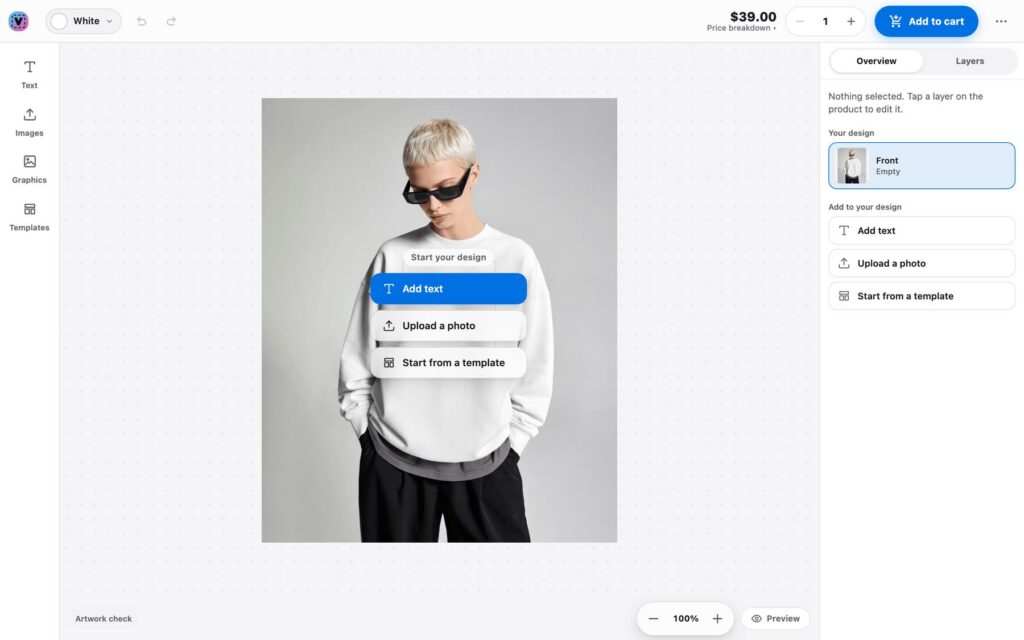
Design it on the real product
01
Pick a product
Open any demo product and press Personalize. Each one is set up to show a different tool.
02
Design it live
Add text, photos, clipart or a template. The mockup and the price update as you go.
03
Checked before checkout
Print areas, safe zones and photo resolution are checked, so a blurry or off-canvas design is flagged early.
Behind the counter
What the store owner gets
This is the part shoppers never see, and the reason print shops pick Veyo.
01
Orders with the design
Each order line shows the design preview, its options and the price breakdown.
02
Proof when you need it
Send a proof for sign-off. On this demo every order waits for proof approval first.
03
Print queue and files
Approved orders land in the print queue with high-resolution PNG or PDF files, ready to send to production.
Running another platform? The OpenCart, PrestaShop and Shopware demos each have a view-only admin login on their About page.
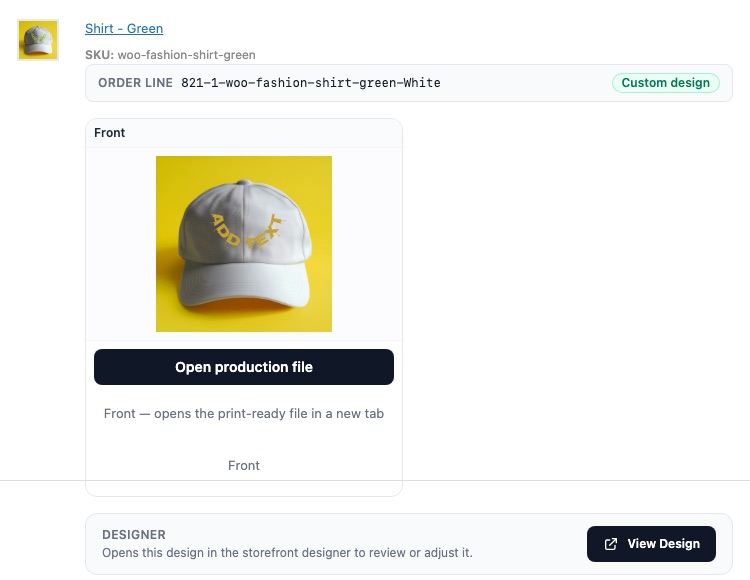
WooCommerce order with the customer design, print files and proof
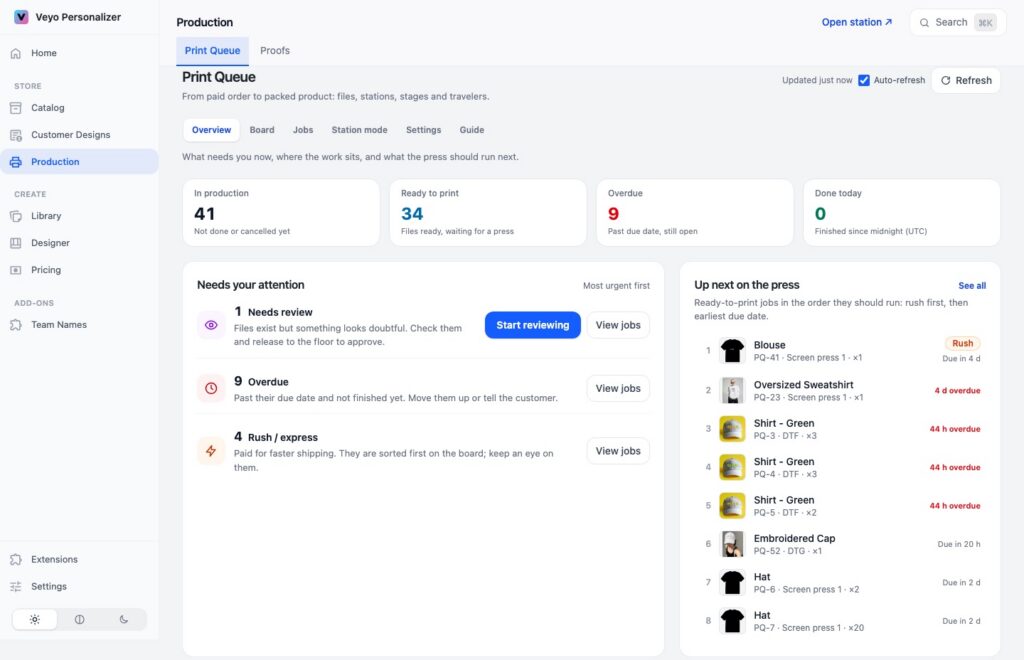
Veyo print queue with jobs ready for production
See it for yourself
Design something, add it to the cart and place a demo order. Nothing is charged.